DiaCraft
Free, open-source diagram software
Open, edit and convert Visio and OpenDocument drawings.
Draw flowcharts, org charts and architecture diagrams, or bring the files you already have. DiaCraft saves each drawing back as the type it came in, or converts it to another, in the window or from the command line. OpenDocument is the format of LibreOffice Draw and OpenOffice.
Linux · Windows · macOS · BrowserGetting started
.vsdx.odg.diacraft

- Save as
.diacraft.vsdx.odg - Export a page
PNGSVGPDF
Formats
One drawing, three files.
Save keeps a drawing in the format it arrived in. Save As writes it as another type, and diacraft-cli convert does the same from a terminal.
-
review.diacraft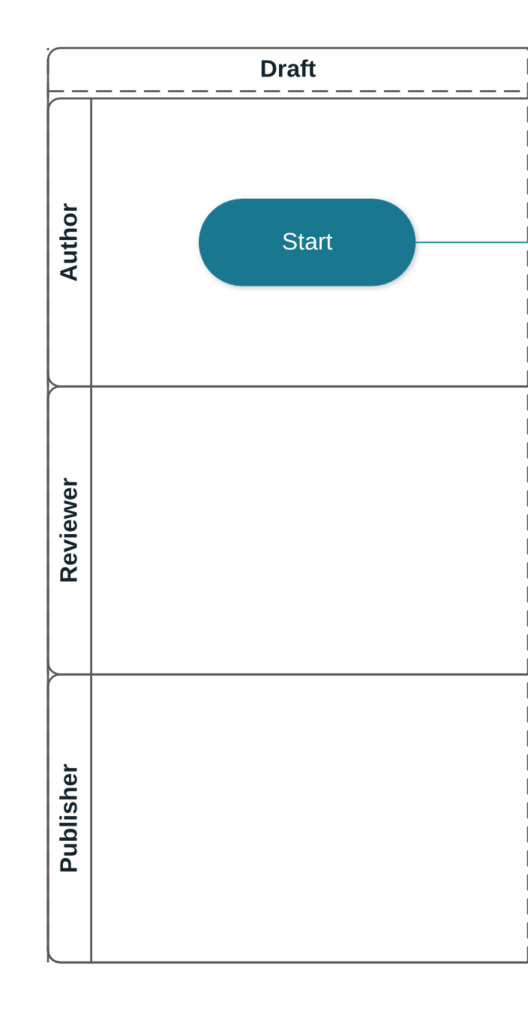
-
review.vsdx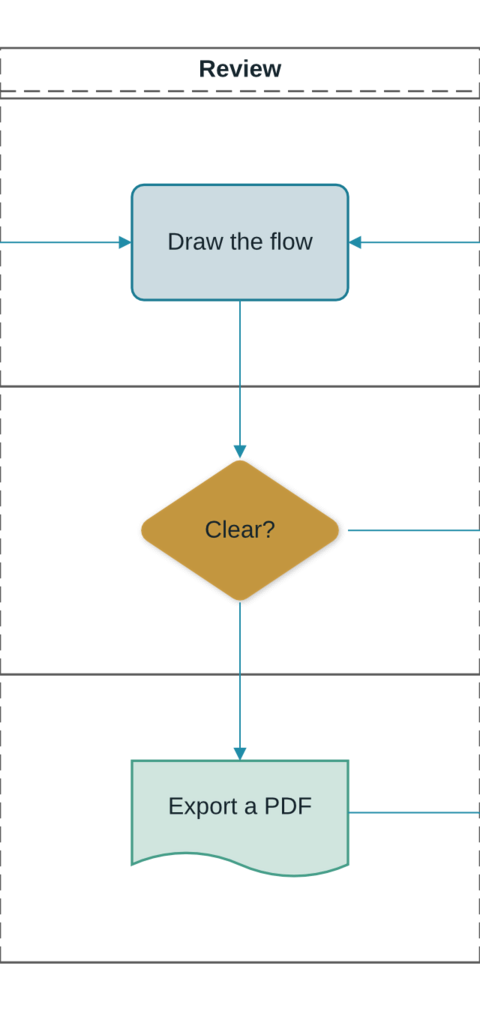
-
review.odg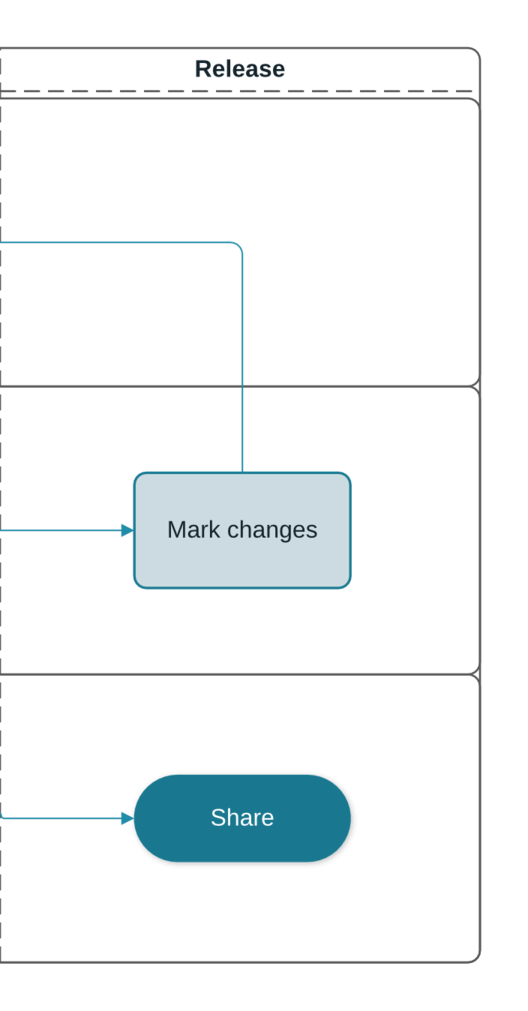
.vsdx, and diacraft-cli convert made the .odg from it. DiaCraft draws the same picture from each, so every sheet here is cut from a different file.- Open & save
- Visio drawings, stencils and templates (
.vsdx,.vsdm,.vssx,.vssm,.vstx,.vstm), OpenDocument (.odg,.otg), and native.diacraftfiles. - Convert
- Save a drawing of one family as a type of another. Where the new type cannot hold part of a drawing, the save tells you what, in words.
- Export a page
- Choose PNG for a raster image, SVG for scalable artwork, or PDF for sharing.
- Preview the sheets, choose the pages you need, then send the drawing to your system printer.
The older binary and XML drawing types (.vsd, .vdx) do not open yet. What works with Visio files today
The editor
Inside the editor
A flowchart on a sheet whose frame and title block belong to a background page. The numbers mark what the notes below describe.

Start with a stencil
Drag shapes from seven built-in stencils, including Basic Flowchart and Gane-Sarson for data flow diagrams. Open a stencil file to add your own choices.
Route a connector
Use AutoConnect to join a neighbour. Drag a handle on a right-angle connector to move a leg around a label.
Change the colour scheme
Choose a theme from the Design tab, then try its variants to change the colours across a page.
Reuse a background
Give a background page a title block or frame. Assign it to the pages that need it and edit it in one place.
-
Draw a custom shape
Draw rectangles, ellipses and arcs, or sketch a freeform path and close it to make a filled shape.
-
Runs in your browser
Nothing to install: a current desktop browser runs the editor in a tab, opens your
What it needs and what it keeps.vsdxand.odgfiles and keeps your drawing on your computer.
Automation
Automate drawing tasks.
Convert files from the command line or connect an AI agent through the MCP server to inspect and edit a drawing.
$ diacraft-cli convert review.vsdx --out review.odg
{"bytes":13125,"carried":{"classes":["window settings", …
$ diacraft-cli export review.odg --out review.png --dpi 144
{"bytes":63748,"format":"png","height":1224,"out":"review.png","page":{"id":1,"name":"Page-1"},"skipped":[],"width":1584}
$ diacraft-cli export review.odg --out review.pdf
{"bytes":21518,"format":"pdf","height":612,"out":"review.pdf","page":{"id":1,"name":"Page-1"},"skipped":[{"count":3,"first":"shape 10: a blurred shadow drawn hard-edged","kind":"ShadowApproximate"}],"width":792}
From the command line
Write an editable drawing with convert, or a picture of one page with export. Both work without opening a window, and each prints a line of JSON that says what it wrote.
{
  "mcpServers": {
    "diacraft": {
      "command": "diacraft-cli",
      "args": ["mcp", "--headless"]
    }
  }
}
With an AI agent
An agent can create a diagram in its own session or edit the drawing you see on screen. It finds the drawing commands with command_list and runs them with command_run.
Privacy
Your drawings stay on your desk.
- No account
- No telemetry
- Offline draw, save, export
Draw, save and export offline. DiaCraft needs no account and collects no telemetry. If a file is damaged or exceeds a reader’s safety limits, the app explains why it cannot open it.
The optional control port listens on your own computer. An MCP client can use a connection you specify. Your print service handles printer jobs, and licence links open in your browser.
Privacy details
Get it
Download DiaCraft
Each download holds the app and the command line tool. The release page lists every version, with a SHA256SUMS.txt file to check them. Read the changelog.
0.2.2, released 25 November 2026
Linux
- Needs
- A 64-bit Linux desktop with glibc 2.35 or newer, on Intel/AMD or ARM64.
- File
.AppImage,.debor.tar.gz- Install
- Make the AppImage executable and run it, or install the .deb on Debian and Ubuntu. The archive has an install.sh that adds DiaCraft to your application menu.
Windows
- Needs
- Windows 10 or 11, on Intel/AMD (x64) or ARM64.
- File
.msiinstaller, or.zip- Install
- Run the installer. It installs for you alone and needs no administrator rights. The download is not signed yet, so Windows may ask you to confirm the first time. Or unpack the zip and double-click diacraft.exe.
macOS
- Needs
- macOS 11 or newer, on an Apple silicon or Intel Mac. The button is for Apple silicon Macs; Intel Macs use the Intel row below.
- File
.dmgdisk image, or.zip- Install
- Open the disk image and drag DiaCraft.app onto Applications. The download is not signed yet, so macOS asks you to confirm the first time.
In your browser
Nothing to install. A current desktop browser runs the editor in a tab and keeps your drawing on your computer. It opens, saves and exports your files, with a few limits the desktop app does not have.
Learn
Five guides, one route.
From your first flowchart to a conversion you can repeat from a terminal.
FAQ
Questions
What should I save a new drawing as?
Use the default .diacraft format to keep an editable drawing. When you open an existing .vsdx or .odg, Save writes back to that format. Explore the native format.
Is DiaCraft a free alternative to Visio?
It is free and open source, and it opens, edits and saves .vsdx files on Linux, macOS and Windows and in a browser. It is an early release: many controls of the window do not work yet, and the older .vsd and .vdx files do not open. What works with Visio files today
Can I export just one page?
Yes. Export a page from the window, or choose it by number with diacraft-cli export. See command-line examples.
Can I try DiaCraft without installing it?
Yes. Open DiaCraft in your browser to draw in a tab. It opens and saves .diacraft, .vsdx and .odg files on your computer and exports PNG, SVG and PDF, and it sends nothing anywhere. Very large drawings, your own fonts and printing are for the desktop app. What the browser version needs and what it keeps
Does DiaCraft run macros in a drawing?
No. A macro-enabled package can carry its macro project when saved in a macro-enabled type. DiaCraft never executes that project.
How is DiaCraft made?
AI coding agents write most of the code and documentation, and a human maintainer decides what is built, in what order, and what ships. The agents work from public documentation and public sample files only, never by running or taking apart Visio, under strict rules: no unsafe code, fuzzed file readers, more than 260 Kani proofs and more than 12,000 tests that pass before anything is pushed. Read the rules the agents follow
Open source
Help shape DiaCraft.
If a connector takes an unexpected turn or a drawing opens differently than you expected, open an issue. Include the file type, your platform and the steps that led to the result.
Browse the source to contribute a fix. The code is available under your choice of the MIT or Apache 2.0 licence. Credits are in NOTICE, and the licences of the libraries DiaCraft is built from are in THIRD-PARTY-LICENSES.txt, which every download carries too.