DiaCraft
Start a drawing in a headless session
In your client’s Model Context Protocol (MCP) settings, add a server that communicates over standard input and output. Set its command to diacraft-cli and its two arguments to mcp and --headless. Use the full path to the executable if your client cannot find it. For clients with an mcpServers configuration, the entry looks like this.
{
  "mcpServers": {
    "diacraft": {
      "command": "diacraft-cli",
      "args": ["mcp", "--headless"]
    }
  }
}
Give the agent a destination you can find again. For example, replace the path in this request with an unused filename in an existing folder.
A request for the agent
Create a blank drawing. Put two rectangles labelled Draft and Review side by side, connect Draft to Review, and save the drawing as
/path/to/review.diacraft.
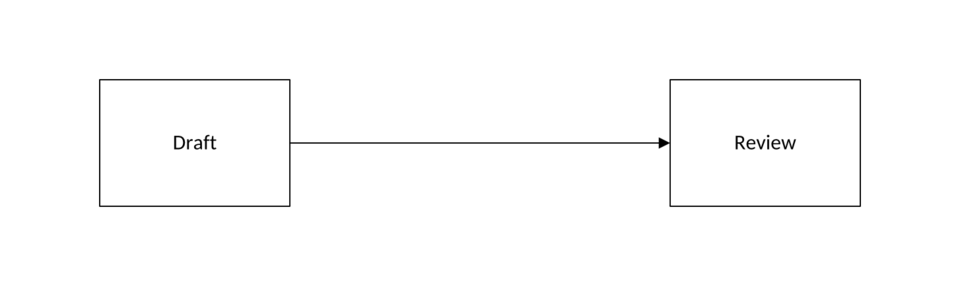
command_run (file.new, shape.drop, shape.set_text and connector.add), and the picture is the part of the page with the shapes, from diacraft-cli export.The agent can use command_list to find commands and their parameters, and command_run to run them. A headless session ends with the server, so have the agent save the file before you close the client.
Work in the visible window
Launch DiaCraft with its local control port enabled.
$ diacraft --control 7997In the client configuration, replace the argument list with this one and restart the MCP server.
"args": ["mcp", "--connect", "127.0.0.1:7997"]Ask the agent to use doc_inspect to identify the open drawing before editing. Changes now appear in that window.
Keep in mind
The local control port has no password, so run the app in this mode only while using it.